FAQ | Studydrive

The answers to all your questions, in one place!
Categories
Account
How can I create an account on Studydrive?
You have to register on the Studydrive platform in order to make full use of it!
You can register for free with your Gmail account or Apple account. If none of these options apply to you, you can simply sign up with your email address. A confirmation email will be sent to the specified email account, following which you can simply log in to Studydrive using your credentials.
How can I cancel my account on Studydrive?
Simply click on your profile icon, click on 'Settings', and navigate to the bottom of the page. Under 'Delete Account', click on 'Permanently Delete Account'.
That said, we hope you'll come back again!
How do I earn credits on Studydrive?
Studydrive's credit system is designed to incentivize the act of studying and make it more rewarding for our users.Credits are awarded for a variety of reasons and activities. As a new user, you will get credit points for initial tasks such as signing up, filling out your profile, completing your career profile, etc.
Users are reimbursed with credit points for activities such as uploading documents onto the platform and inviting friends. You also get credits each time another user views/downloads your docs (2), and when users study using your flashcards (2-5). Check out our Rewards Shop for in-depth information.
I uploaded some documents to Studydrive but they were rejected. Why is that?
If your uploaded documents have been rejected by us, it is usually a case of copyright infringement. With Studydrive, we provide students with a platform on which they can only share documents they have created themselves and for which they own the intellectual property with their fellow students. We also communicate this explicitly in our terms of use.
Please make sure to refer to them in case of any queries regarding documents. If you do not find the answer you're looking for, feel free to reach out with your questions to info@studydrive.net.
How can I change the email address connected to my Studydrive account?
Click on your Profile by navigating to the icon on the top right-hand corner of the Studydrive Homepage. Subsequently, go to the Settings option. Under Settings, you can change your email. Enter your password first, thereafter enter the new email address in its respective field and submit.
Premium
Info about Studydrive Premium
Interested in learning more about Studydrive Premium? We have a detailed overview for you - prices, policies, and how you can use Premium to enhance your studying habits.
Studydrive PremiumStudy
How can I upload a document to Studydrive?
Simply click on the 'Add' option to the right of the Search bar and select 'Upload Document' from the drop-down menu.
Can I filter courses by my major and university?
Absolutely! Studydrive's Search function allows users to seamlessly filter for courses by major and university. That is not all - you can also filter courses by type, language, and academic year.
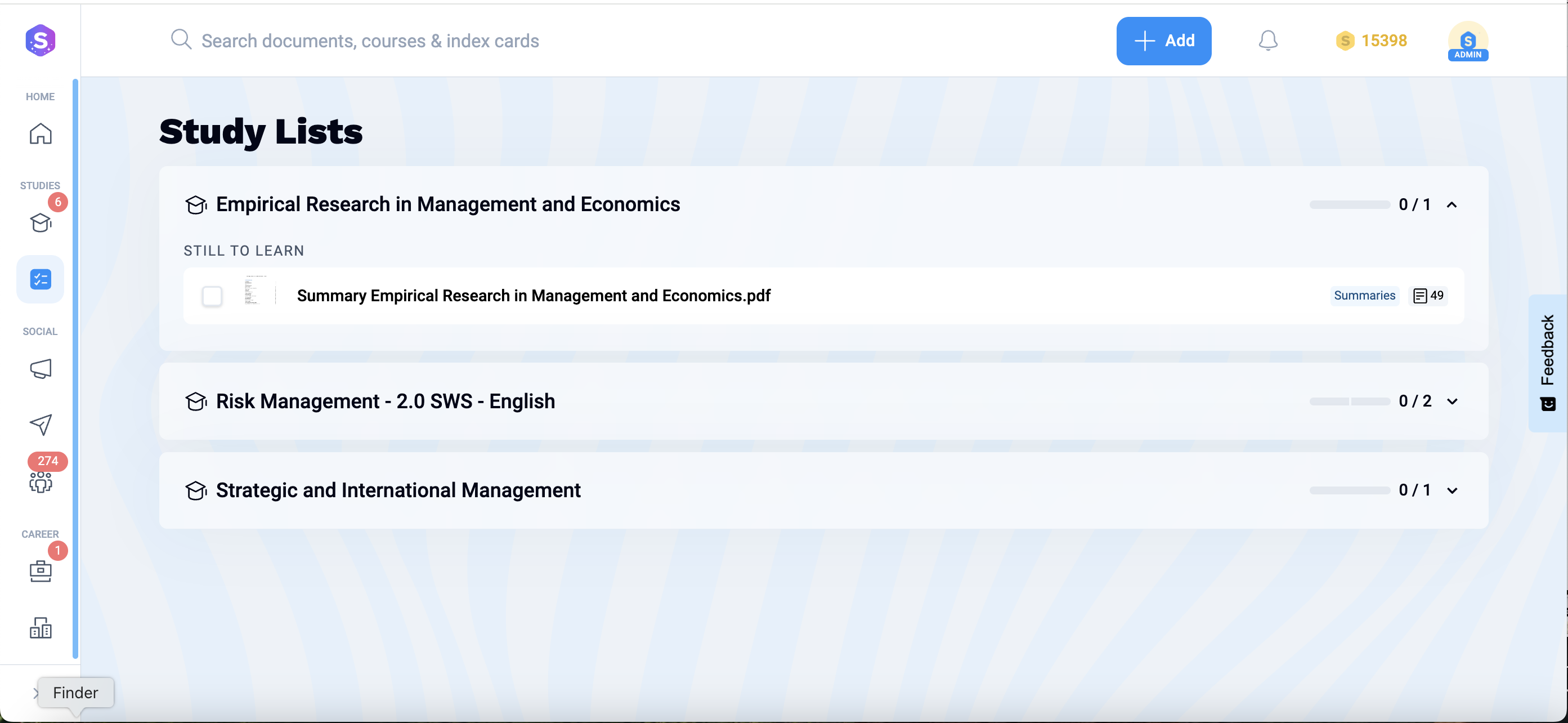
Is there a way to keep all relevant docs in one place, so I don't have to search for it every time?
You can save all relevant documents by clicking on the 'Save to Study Lists' icon when you're accessing them. That way, you can simply go through your personal Study List later and quickly find what you're looking for!
How can I connect with Studydrivers from my university or course?
Well, there are a few different ways in which connect with your peers.
Don't worry, we'll walk you through it.
- Join your uni group or course group - Connect with Studydrivers from your university or from a specific course by joining the corresponding group.
- Explore the Social features - Take a look at your newsfeed, start a chat with someone from your university, scroll through the community discussions. It is often the best way to run into someone you know!
- Be active - Less a strategy than just general advice, but being active on Studydrive is definitely a cool trick for networking. Ask and answer questions, rate and review docs - decepitively simple, but it works.
How can I make use of the AI-extended features?
You can use our AI-extended features to quickly summarize a document. Perfect for when you're rushing to cover the syllabus, and don't have the time to manually create a summary. We also offer the same feature for flashcards, where you can generate AI-powered flashcards for any chosen document! AI-extended features for summaries and flashcards are only available to Premium users.
I cannot find my course on Studydrive. What do I do?
If you cannot find your course on Studydrive, you can request it via our Request Tab. Once requested, our Community Management team will check if the course exists on our platform. If not, we might suggest a merge with a different course that closely fits the one you requested.
What do you do with rejected documents?
All rejected documents are deleted from the Studydrive portal. We cease to have access to it in any form, neither do we store any related data to the document(s) in question.
Can I upload documents anonymously?
Anonymous uploading of documents is only available to our Premium users.
What do I do if there is a wrong flashcard answer?
If you find an inaccuracy with an individual flashcard answer or with a set of flashcards, feel free to report it. Navigate to the top of the page and click on the icon with three dots. Select 'Report' from the drop-down menu. We also ask that you double-check before reporting a flashcard set or study document! Inaccurate reports set us back with keeping the quality of docs on Studydrive consistently good.
Can I create multiple study lists?
Indeed you can! You can create multiple study lists on Studydrive and segregate by discipline, course, or another rubric of your choice.
Career
Can I look for jobs in Studydrive?
Yes! With Studydrive, our intention is to give you a comprehensive tool that helps you through all the facets of uni life!
In order to look for jobs on Studydrive, head to the Career Corner. You can view and save featured jobs from the main Jobs page.
Alternatively, you can also streamline your job search by company/industry/study programme.
Can I look for an internship or work student job on Studydrive?
Absolutely. Our corporate partners regularly post job listings for internships and work student positions. Keep an eye on the Career Corner for the latest in your field of study.
We also have Career groups dedicated to helping you interview for and find a suitable position. Go to Groups, click on the '+' button to add a new one, and then filter by 'Career'.
And voila, you have a list of career-oriented groups at your disposal!
Can I network with potential employers on Studydrive?
Networking or 'chatting with' employers is not directly possible on the Studydrive platform.
However, you can reach out to potential employers via Studydrive, i.e., navigate to a specific company profile, have a look at the corresponding contact for employees at said company, and reach out via email.
Can I filter jobs by date of posting?
Filtering by date of posting is not a feature we offer on the platform.
We sort jobs by the user's preference, primarily — meaning that if you, the user, have already set up some preferences — you will be shown positions that best fit given criteria.
Further sorting is based on the user's major. A Business major, for example, will see jobs that fit their study profile first.
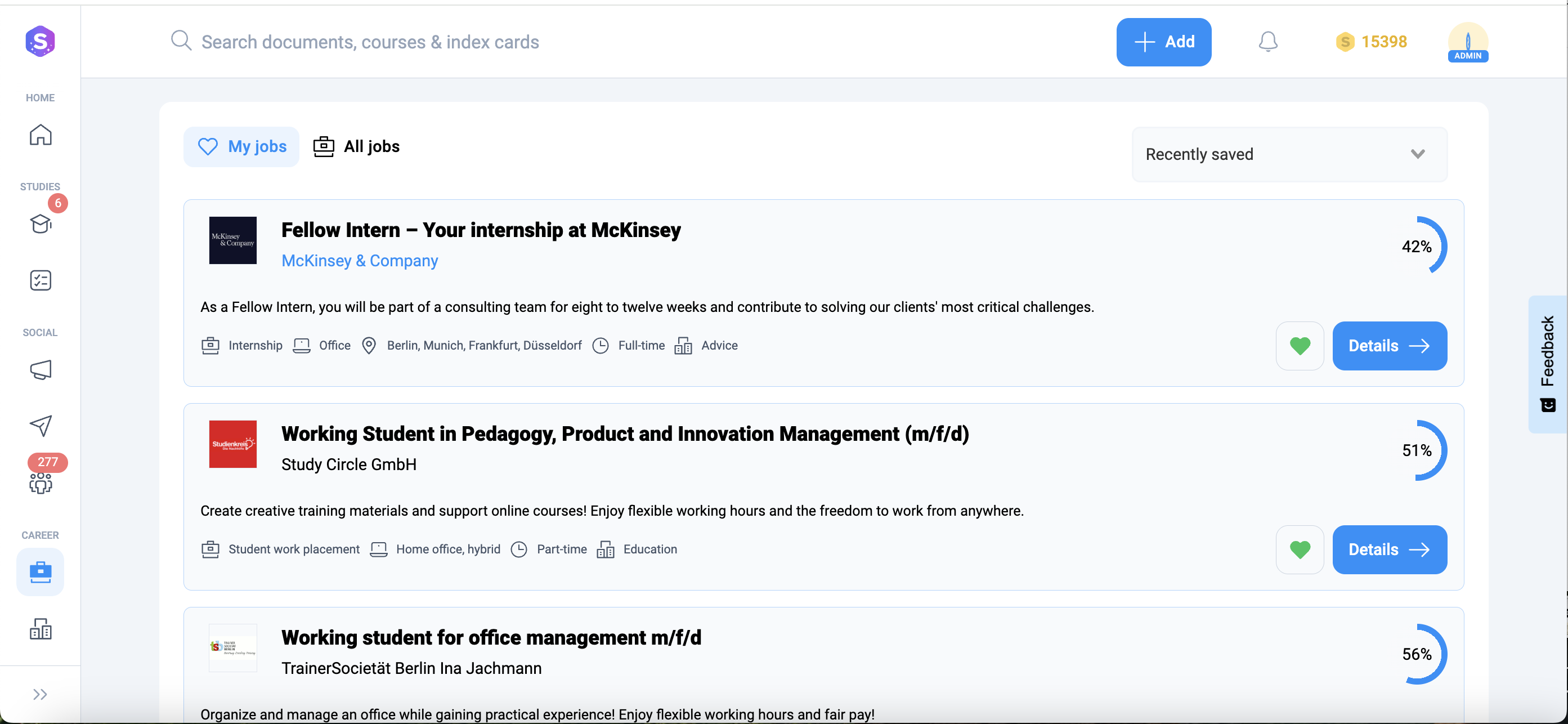
Where can I find previously saved jobs on the platform?
You can find previously saved jobs under 'My Jobs' in the Career Corner.
You can save a job by 'hearting it'. Click again to un-heart the job, thereby removing it from your list of saved jobs.
Does Studydrive offer career counselling services?
While we do not offer individualized career counseling, we do have a variety of resources that have been curated to help you find employment.
Head to our Career Tips page to access latest insights into the corporate realm.
More of a podcast person? Our Career to Go podcast is the perfect listen on your way to uni! Or back, we are not picky.
And of course, there are various Career Groups to choose from. Participate in lively discussions with other job-seekers and help each other out!
Are there career groups on Studydrive I can join?
Yes. We have a range of Career Groups for you to choose from.
Encouraging interpersonal communication is one of the key tenets of the Studydrive community, and our career groups are lively spaces where you can get and offer help to other Studydrivers also on the hunt for a job.
General
I have a query. Who do I get in touch with?
For specific queries, you can reach out to us at info@studydrive.net.
You can also use the Feedback Form on the platform for general queries and feedback!
Can I share documents from Studydrive on other platforms/with friends?
Certainly. Premium users can download documents from Studydrive freely.
Not only does that allow you to study offline, annotate and highlight the docs as you wish — but you can also share the docs with your friends and study together!
Studydrive App
Is the Studydrive app free?
The Studydrive app is completely free for both Android and iOS users. You can make use of Studydrive as a free user or as a Premium user.
For more information on how you can get a Premium subscription, head on over to the Premium section of the FAQs.
Can I upload documents using the app?
Sure. All the features available on the desktop version of Studydrive extend to the mobile app too!
Can I download documents using the app?
Absolutely. Download away!
Note: The option to download is available to Premium users of Studydrive.